


THE LARGEST BMW 2-SERIES FORUM ON THE PLANET


| 02-20-2009, 01:29 PM | #45 |
|
1Addict, and proud


191
Rep 1,436
Posts
Drives: 2009 AW 135i M-Sport
Join Date: Jun 2008
Location: San Antonio, TX
|
oh n how do we change the server name and enter the information so we can all play together?
__________________
 BMW AW 135i ZMP:6mt,Coral Red Leather,Silver Matte Trim,Heated Front Seats,I-Drive,HD Radio,Ipod/Usb,Comf.Acces www.wix.com/TT135i/Moi |
|
Appreciate
0
|
| 02-20-2009, 06:04 PM | #46 |
|
Lieutenant General
 
1369
Rep 12,447
Posts |
yay it works.
i use the mouse to control the steering, and i set the throttle sensitivity to 25%, instead of the default 50%, because you can't make mid-corner adjustments because you get full throttle too easily.
__________________
Past: '08 E92 335i|ZPP|ZSP|6AT
Past: '15 Mustang GT|401A|PP|6MT Current: '20 Shelby GT350|6MT |
|
Appreciate
0
|
| 03-18-2009, 12:39 AM | #47 |
|
エアーマンが倒せない

333
Rep 2,037
Posts |
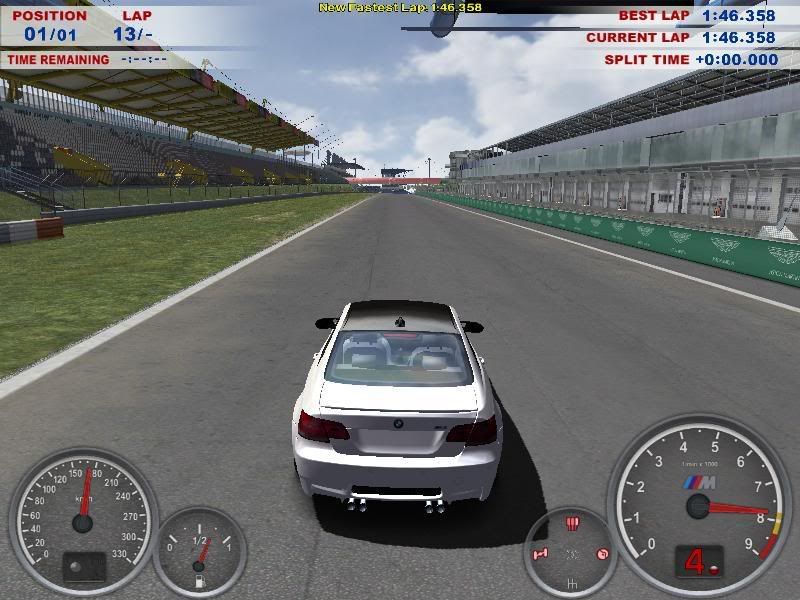 1:46
__________________
|
|
Appreciate
0
|
| 03-18-2009, 12:43 AM | #48 | |
|
エアーマンが倒せない
333
Rep 2,037
Posts |
Quote:
Start\All Programs\SimBin\BMW\M3 Challenge\Configure BMW M3 Challenge A new window pops up. Change the Resolution to as high as you can with 16-bit or 32-bit color depending on your GPU. If you didn't do a Start Menu when installing or you deleted it, it's in whatever directory you installed it to: BMWConfig.exe
__________________
|
|
|
Appreciate
0
|
Post Reply |
| Bookmarks |
|
|


