THE LARGEST BMW 2-SERIES FORUM ON THE PLANET


| 06-09-2021, 10:20 AM | #24 | |
|
BIMMERPOST Sponsor

3276
Rep 4,750
Posts |
Quote:
__________________
Apple CarPlay Fullscreen for NBTEVO / ENTRYNAV2
GTS FLASH F8X / CS FLASH G8X / G87 DME CS FLASH / CS Engine FLASH G8X iDrive Firmware Update + CarPlay Fullscreen / NBTEVO iDrive 4 to iDrive 6 + CarPlay Fullscreen Visit BIMMER-REMOTE.com - 10% OFF with a code BIMMERPOST info@bimmer-remote.com or PM |
|
|
Appreciate
0
|
| 06-13-2021, 10:35 AM | #26 |
|
Private
 45
Rep 64
Posts |
Finally...Full screen CarPlay
Have loved CarPlay with all the maps options, but the underuse of the screen has always bugged me.
Used the Bimmer-Remote folks and bought the update for my 2017 m240i. It wasn't easy finding the hardware to make the connections (USB flash not an option for our cars from ANY other site that I could find), but finally used a friend's old PC with Windows 8 and a USB adapter to an OBD-ethernet cable from Amazon. Got the program to run, identified my vehicle, then it stalled out waiting for online verification. Tried a couple more times but still had the same problem. I emailed the company and they promptly responded back that their server was apparently down, and notified me a few hours later when it was back up. Tried again and coding finished within a few minutes. Worth the wait! Full screen looks and functions the way it should now!  |
|
Appreciate
0
|
| 06-15-2021, 03:59 AM | #27 | |
|
BIMMERPOST Sponsor
3276
Rep 4,750
Posts |
Quote:

__________________
Apple CarPlay Fullscreen for NBTEVO / ENTRYNAV2
GTS FLASH F8X / CS FLASH G8X / G87 DME CS FLASH / CS Engine FLASH G8X iDrive Firmware Update + CarPlay Fullscreen / NBTEVO iDrive 4 to iDrive 6 + CarPlay Fullscreen Visit BIMMER-REMOTE.com - 10% OFF with a code BIMMERPOST info@bimmer-remote.com or PM |
|
|
Appreciate
0
|
| 06-18-2021, 12:20 PM | #28 |
|
Budget Enthusiast
305
Rep 211
Posts
Drives: 2017 230i M-Sport
Join Date: Apr 2018
Location: Driver's Seat
|
Interested in this now that I've lost Connected Drive subscription.
2017 NBT EVO and have used BimmerCode to get ID6 UI.
__________________
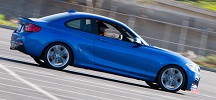 2017 230i // Estoril Blue II // M-Sport |
|
Appreciate
0
|
| 06-18-2021, 12:27 PM | #29 | |
|
BIMMERPOST Sponsor
3276
Rep 4,750
Posts |
Quote:
__________________
Apple CarPlay Fullscreen for NBTEVO / ENTRYNAV2
GTS FLASH F8X / CS FLASH G8X / G87 DME CS FLASH / CS Engine FLASH G8X iDrive Firmware Update + CarPlay Fullscreen / NBTEVO iDrive 4 to iDrive 6 + CarPlay Fullscreen Visit BIMMER-REMOTE.com - 10% OFF with a code BIMMERPOST info@bimmer-remote.com or PM |
|
|
Appreciate
0
|
| 08-02-2022, 10:37 AM | #30 | |
|
Registered
0
Rep 1
Posts |
Quote:
Thanks. |
|
|
Appreciate
0
|
| 08-02-2022, 04:52 PM | #31 | |
|
BIMMERPOST Sponsor
3276
Rep 4,750
Posts |
Quote:
__________________
Apple CarPlay Fullscreen for NBTEVO / ENTRYNAV2
GTS FLASH F8X / CS FLASH G8X / G87 DME CS FLASH / CS Engine FLASH G8X iDrive Firmware Update + CarPlay Fullscreen / NBTEVO iDrive 4 to iDrive 6 + CarPlay Fullscreen Visit BIMMER-REMOTE.com - 10% OFF with a code BIMMERPOST info@bimmer-remote.com or PM |
|
|
Appreciate
0
|
| 08-05-2022, 04:11 PM | #33 | |
|
BIMMERPOST Sponsor
3276
Rep 4,750
Posts |
Quote:
__________________
Apple CarPlay Fullscreen for NBTEVO / ENTRYNAV2
GTS FLASH F8X / CS FLASH G8X / G87 DME CS FLASH / CS Engine FLASH G8X iDrive Firmware Update + CarPlay Fullscreen / NBTEVO iDrive 4 to iDrive 6 + CarPlay Fullscreen Visit BIMMER-REMOTE.com - 10% OFF with a code BIMMERPOST info@bimmer-remote.com or PM |
|
|
Appreciate
0
|
| 08-08-2022, 11:27 PM | #35 |
|
Registered
0
Rep 2
Posts
Drives: 2018 BMW 340i
Join Date: Aug 2022
Location: maryland
|
Kubax can u pm me for apple carplay fullscreen please thank you!
|
|
Appreciate
0
|
| 08-09-2022, 02:29 AM | #36 | |
|
BIMMERPOST Sponsor
3276
Rep 4,750
Posts |
Quote:
Can’t PM you so you can contact through mail or website (links in signature)
__________________
Apple CarPlay Fullscreen for NBTEVO / ENTRYNAV2
GTS FLASH F8X / CS FLASH G8X / G87 DME CS FLASH / CS Engine FLASH G8X iDrive Firmware Update + CarPlay Fullscreen / NBTEVO iDrive 4 to iDrive 6 + CarPlay Fullscreen Visit BIMMER-REMOTE.com - 10% OFF with a code BIMMERPOST info@bimmer-remote.com or PM |
|
|
Appreciate
0
|
| 12-28-2024, 08:08 PM | #37 |
|
Somewhat reliable
18
Rep 18
Posts |
Just updated to the full screen CarPlay on my 2017 M240i. Fair price and fairly easy if you have a laptop. I just had to buy to download and get the cable (all explained on Bimmer-Code’s web site). Woo hoo!
|
|
Appreciate
0
|
| 12-29-2024, 07:46 AM | #38 | |
|
BIMMERPOST Sponsor
3276
Rep 4,750
Posts |
Quote:
__________________
Apple CarPlay Fullscreen for NBTEVO / ENTRYNAV2
GTS FLASH F8X / CS FLASH G8X / G87 DME CS FLASH / CS Engine FLASH G8X iDrive Firmware Update + CarPlay Fullscreen / NBTEVO iDrive 4 to iDrive 6 + CarPlay Fullscreen Visit BIMMER-REMOTE.com - 10% OFF with a code BIMMERPOST info@bimmer-remote.com or PM |
|
|
Appreciate
0
|
| 02-26-2026, 03:43 PM | #39 |
|
Registered
2
Rep 4
Posts |
I also just tried out Kubax86/Bimmer-Remote to unlock the CarPlay full screen support and it was a quick and easy process even using a Mac laptop. Maybe took 5min to do the work and I went from 3/4 screen to full screen CarPlay. Due to the version of my head unit firmware that wasn't doable with Bimmercode.
|
|
Appreciate
1
kubax863275.50 |
| 03-19-2026, 09:04 PM | #40 |
|
New Member
0
Rep 8
Posts |
Does anyone know what the options are as of 2026 for a 2016 M235i? I tried reaching out to the company above (bimmer-remote.com) but they stated the 2016 model year wasn't compatible with their solution.
It seems like the only way to get CarPlay is to get a complete headunit replacement (Andream or the like) but the solution sounded a bit janky (needing to use BT audio from the phone for better quality, maintaining separate BT connections for some reason? OEM microphone/BT phone connectivity being intermittent, etc). Are there updated solutions that have been ironed out by now? |
|
Appreciate
0
|
| 03-20-2026, 02:00 AM | #41 | |
|
BIMMERPOST Sponsor
3276
Rep 4,750
Posts |
Quote:
__________________
Apple CarPlay Fullscreen for NBTEVO / ENTRYNAV2
GTS FLASH F8X / CS FLASH G8X / G87 DME CS FLASH / CS Engine FLASH G8X iDrive Firmware Update + CarPlay Fullscreen / NBTEVO iDrive 4 to iDrive 6 + CarPlay Fullscreen Visit BIMMER-REMOTE.com - 10% OFF with a code BIMMERPOST info@bimmer-remote.com or PM |
|
|
Appreciate
1
snakedoctor0.00 |
| 03-24-2026, 02:31 AM | #42 |
|
Registered
0
Rep 2
Posts |
kubax86
Can you please confirm if I can have the CarPlay (Full Screen?) installed on the unit in WBA2K9C35H7A26528? It is built in June/2017. Also, how can I be sure if the unit has 2GB or 4GB RAM? (It has the ID5 Menu). Thank you! |
|
Appreciate
0
|
| 03-24-2026, 02:38 AM | #43 | |
|
BIMMERPOST Sponsor
3276
Rep 4,750
Posts |
Quote:
__________________
Apple CarPlay Fullscreen for NBTEVO / ENTRYNAV2
GTS FLASH F8X / CS FLASH G8X / G87 DME CS FLASH / CS Engine FLASH G8X iDrive Firmware Update + CarPlay Fullscreen / NBTEVO iDrive 4 to iDrive 6 + CarPlay Fullscreen Visit BIMMER-REMOTE.com - 10% OFF with a code BIMMERPOST info@bimmer-remote.com or PM |
|
|
Appreciate
0
|
| 03-24-2026, 02:49 AM | #44 | |
|
Registered
0
Rep 2
Posts |
Quote:
Is this also full screen? BTW, the unit's firmware is NBTevo_K17052I |
|
|
Appreciate
0
|
Post Reply |
| Bookmarks |
|
|